Hey everyone! 👋 Have you ever found yourself tangled in a web of requirements, wondering how each piece fits into the grand puzzle of your system? I know I have! Building complex systems can feel like orchestrating a symphony, and if the notes (our requirements!) aren't perfectly aligned, the whole performance can fall flat. That's why understanding how to clearly define and manage relationships between requirements is super important, especially when using SysML. It's truly the secret sauce for keeping everything traceable and transparent. Let's dive in and untangle this together! 😊
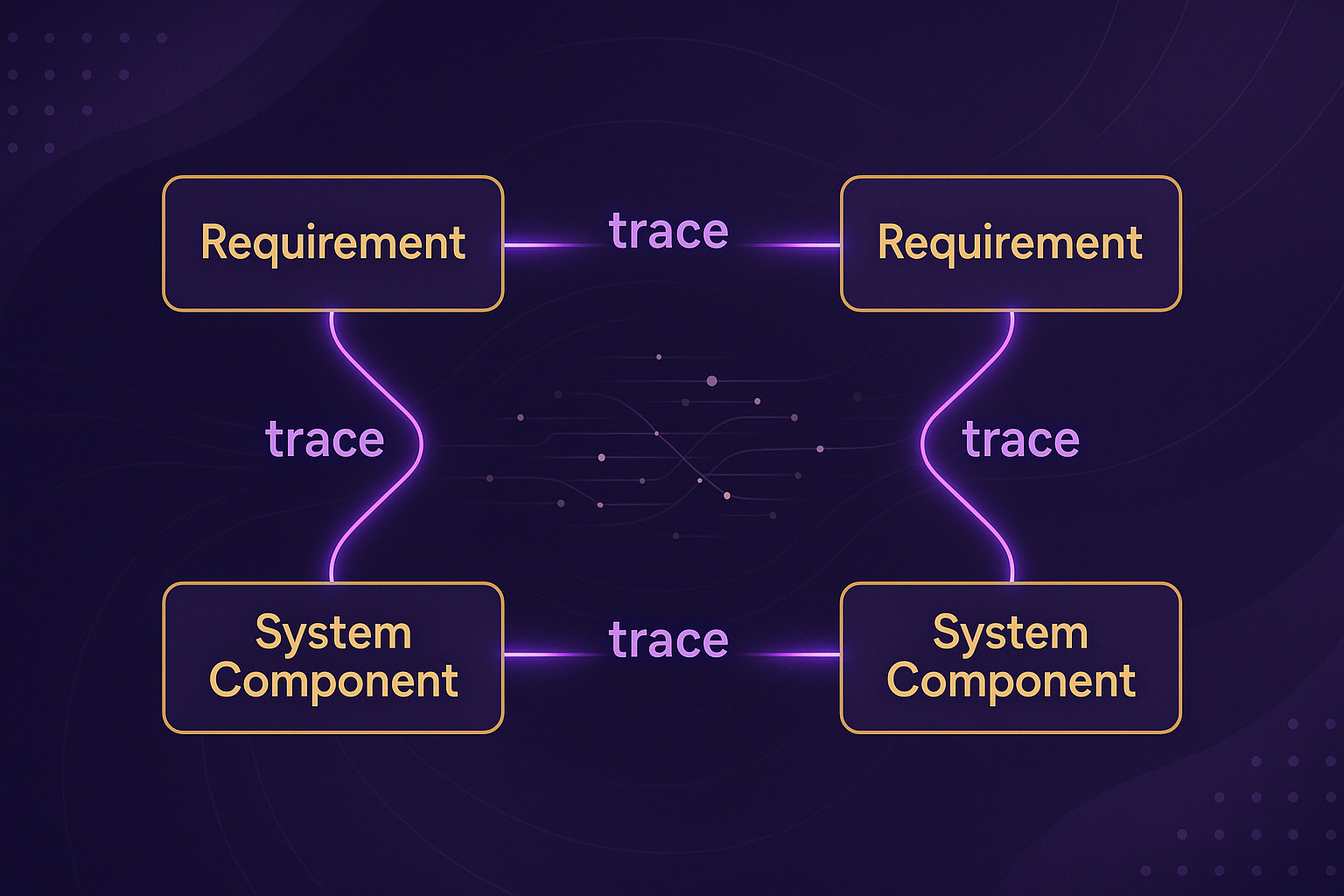
The Heart of SysML: Trace Relationships Explained 🤔
At its core, SysML helps us visualize and manage complex system designs. And when it comes to requirements, its trace relationships are absolutely invaluable. Think of them as the connective tissue that links every requirement, from the highest-level stakeholder need down to the smallest component detail. This isn't just about drawing lines; it's about establishing clear information flow and ensuring everything is interconnected within your system model. Without these clear links, trying to understand how a change in one requirement affects another can be a nightmare, believe me!
Let's break down some of the most common and crucial relationship types you'll encounter in SysML requirement diagrams. Understanding each one helps you build a more robust and manageable system model.
Effective use of trace relationships reduces design errors, simplifies impact analysis, and significantly improves communication among team members. It's like having a clear map for your entire project!
Key Relationship Types in SysML Req Diagrams 📊
SysML provides several specialized relationships that help define how requirements interact and evolve throughout the system lifecycle. Each has a unique purpose and contributes to a comprehensive model. Let's explore them in detail!
1. Derive Relationship ⬆️⬇️
The Derive relationship is used to show how a high-level requirement is broken down into more specific, actionable low-level requirements. This is super common in systems engineering! For instance, a broad "system must be user-friendly" requirement might derive into more concrete requirements like "interface response time must be under 1 second" or "navigation must require no more than 3 clicks." This ensures traceability from initial concepts to detailed specifications, which is vital for system architecture design and verification.
2. Refine Relationship ✨
The Refine relationship connects abstract requirements to their concrete design elements, like use cases, activity diagrams, or block definitions. It's about showing how a requirement is elaborated or detailed by a modeling element. For example, a requirement like "System must manage customer orders" could be refined by a "Process Order" use case. This enhances communication and helps in verifying that the design indeed addresses the specified requirements.
3. Satisfy Relationship ✅
Perhaps one of the most critical relationships, Satisfy explicitly links how a system component, function, or design element meets a particular requirement. This relationship is foundational for creating verification plans, as it directly answers the question: "How is this requirement being met?" Documenting these links forms a solid basis for design decisions and ensuring that the final system aligns with all needs.
4. Verify Relationship 🔍
While 'Satisfy' shows *how* a requirement is met, the Verify relationship specifies *how* you'll confirm that the requirement has actually been met through testing or other verification activities. It links a requirement to test cases, analyses, inspections, or demonstrations. This is crucial for ensuring system quality and reducing development risks. A comprehensive verification plan, often built upon these relationships, guarantees that your system performs as expected.
5. Copy Relationship 📝
The Copy relationship is used when you need to reuse requirements content. It allows one requirement to be duplicated, carrying over its content to a new requirement. This can increase efficiency and help maintain consistency across different parts of a project or across multiple projects. Be careful though; managing copied requirements still requires diligence to ensure that updates in one don't break assumptions in another!
6. Rationale 🧠
While not a "relationship" in the strict sense of a line connecting two boxes, Rationale is a documentation element that explains the reasoning or justification behind a requirement, a design decision, or a relationship itself. It answers "why?" It can be linked to any model element to provide context, improve transparency, and support future modifications or audits. I find this especially helpful when revisiting old projects — knowing the "why" behind decisions saves so much time!
While copying requirements can save time, always ensure proper change management procedures are in place. Unmanaged copies can lead to inconsistencies and errors down the line if not synchronized or explicitly versioned.

Visualizing Relationships: Tables vs. Matrices 🧮
So, we know *what* these relationships are, but *how* do we best represent them in SysML? SysML allows you to express these relationships using various notations, with tables and matrices being two powerful options. Choosing the right one can significantly impact clarity and ease of analysis.
📊 Table Notation Explained
Tables are fantastic for listing relationships in a row-by-row format. Each row typically represents a relationship instance, with columns for elements, relationship type, and any additional properties or comments.
Here’s a quick example of how a table might look:
| Source Requirement | Relationship Type | Target Element | Rationale/Comments |
|---|---|---|---|
| REQ-001 (High-level) | Derive | REQ-001.1 (Low-level) | Decomposition for detailed design. |
| REQ-002 (Function) | Satisfy | Block: UserInterface | UI component implements login. |
| REQ-003 (Performance) | Verify | Test Case: TC-003 | Confirms response time within spec. |
| REQ-004 (Security) | Refine | Use Case: AuthenticateUser | Details the security process. |
Practical Application: A Quick Case Study 📚
Let's imagine we're building a new "Smart Home Hub." Here's how these relationships would play out in a real scenario, making our lives so much easier!
Scenario: Smart Home Hub User Authentication
- High-Level Requirement: The Smart Home Hub must securely authenticate users. (REQ-SHH-001)
- Low-Level Requirement: User passwords must be stored using a minimum of AES-256 encryption. (REQ-SHH-001.1)
Applying Relationships:
1) Derive: REQ-SHH-001 derives REQ-SHH-001.1. This shows how a broad security requirement leads to a specific encryption standard.
2) Satisfy: A 'Security Module' block within our system architecture satisfies REQ-SHH-001.1. This directly links the design to the requirement.
3) Verify: A 'Password Encryption Test Case' verifies REQ-SHH-001.1. This confirms we'll test the encryption method.
By explicitly defining these relationships, we ensure that every security aspect of our Smart Home Hub, from the high-level need to the encryption standard, is traceable, implementable, and verifiable. This makes project management so much smoother and reduces surprises later on!

Wrapping Up: Key Takeaways 📝
Understanding and effectively utilizing relationships in SysML requirement diagrams isn't just a best practice; it's a game-changer for systems engineers and anyone involved in complex projects. It's about building clarity, ensuring traceability, and ultimately, delivering high-quality systems that meet their intended purpose.
Here’s what I truly hope you take away from this post:
- Traceability is King: Clear relationships mean you can track every requirement, from initial concept to final implementation and verification.
- Choose the Right Relationship: Whether it's Derive, Refine, Satisfy, Verify, or Copy, each relationship serves a distinct purpose to model your system accurately.
- Document Your Rationale: Always explain the "why" behind your decisions. Future you (and your team!) will thank you for the transparency and context.
- Visualize Wisely: Use tables and matrices to present relationship data in a way that best suits your project's complexity and your team's needs.
Your SysML Req Diagram Cheat Sheet
Frequently Asked Questions ❓
This article is a re-reation of the core content of the article I wrote last year using AI. If you are interested in the original article, please refer to the HTML below!