Have you ever felt your SysML block diagrams are just a collection of static boxes? You've defined *what* the parts of your system are, but showing what they actually *do* can be a real head-scratcher. I've definitely been there! It's tricky to get the hang of modeling the dynamic actions of a complex system. Today, we’re going to dive deep into the Behavior of Block, the key to making your models dynamic and truly representative of your system's functions. Let's get started! 😊
What is Block Behavior in SysML? 🤔
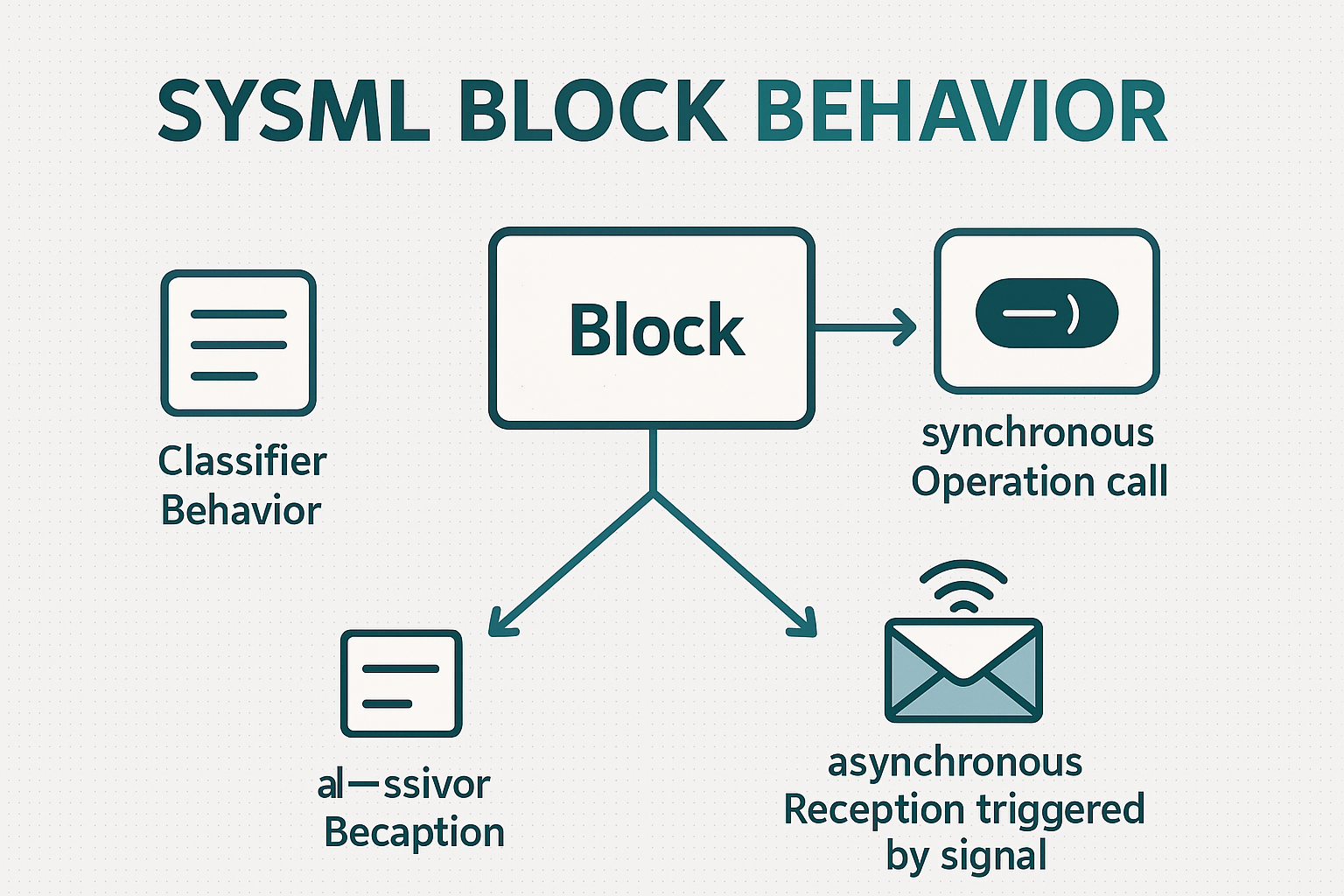
In SysML, a block isn't just a container for properties. It's an active component that has behaviors. Think of it as the difference between a blueprint of a car (the block definition) and the car actually running (its behavior). This behavior is primarily categorized into two types:
- Classifier Behavior: This is the default or automatic behavior that a block executes when it is created or instantiated. It handles initialization or performs the block's main, continuous function.
- Behavioral Features (Block Methods): These are specific, callable behaviors. Just like methods in object-oriented programming, they are invoked to perform a particular task. These are further divided into Operations and Receptions.
Deep Dive: Classifier Behavior 💡
Think of the Classifier Behavior as the block's main job. It starts when the block comes to life and typically runs until the block is terminated. It’s like the engine of a car starting as soon as you turn the key.
You have a few choices for modeling this behavior, depending on the block's nature:
- State Machine: Perfect for when a block is primarily event-driven. It models the various states a block can be in and how it transitions between them in response to events.
- Activity: Use this when the block's main job is to transform inputs into outputs. It's great for modeling workflows and processing sequences.
- Hybrid Approach: A very popular and powerful method is to use a State Machine to define the overall states, and then use Activities to specify the detailed actions performed within each state.
Operations vs. Receptions: The Two Block Methods 📊
Besides the default classifier behavior, blocks can have specific methods that are called upon to do something. This is where Operations and Receptions come in. Their main difference lies in how they communicate: synchronously or asynchronously.
| Feature | Operations | Receptions |
|---|---|---|
| Behavior Type | Synchronous. The caller makes a request and waits for the operation to complete before continuing. | Asynchronous. The client sends a signal and immediately continues its own execution without waiting for a response. |
| Invocation | Called by an invocation event. | Triggered by a signal event. |
| Return Value | Yes, can have a return type and 'out' or 'inout' parameters. | No return type. Parameters can only be 'in'. |
| BDD Format | opName(param:Type):returnType |
<<signal>> sigName(param:Type) |
A block can either 'provide' a behavior (it handles the request itself) or 'require' it (it needs another block to handle the request). This is shown with the
prov and reqd keywords in front of the feature signature on a BDD.
Practical Guide: Modeling in Enterprise Architect 👩💻
Let's make this concrete. We'll model the behaviors for a Switched-Mode Power Supply (SMPS) block in Enterprise Architect (EA).
📝 Part 1: Classifier Behavior
The main job of our SMPS is to generate 5V power. This is a perfect candidate for a Classifier Behavior.
- First, create an Activity element named 'Generate 5V' as a child of the SMPS block.
- Open the Properties window for the SMPS block.
- Navigate to Element > Classifier Behavior... and assign the 'Generate 5V' Activity you just created. EA will now show this under an 'Owned Behavior' compartment, which denotes the classifier behavior.
📝 Part 2: Operations
Let's add an operation to check the SMPS's status. This is a synchronous call.
- Select the SMPS block and open the Features window (Start > All Windows > Properties > Features).
- In the Operation tab, create a new operation named
CheckCurrentStatuswith a return type ofint. - Add two parameters:
checkMode : intwith direction in.setErrorBit : bytewith direction out. This allows the operation to modify an error register while it runs.
📝 Part 3: Receptions
Our SMPS has a watchdog that needs a periodic 'hopping' signal from the MCU to know everything is okay. This is a classic asynchronous interaction, perfect for a Reception.
- First, create a Signal element on your BDD and name it
hopping. Give it attributes likeFrequencyandVoltage. - Now, select the SMPS block and go to the Reception tab in the Features window.
- Click to add a new Reception and select the
hoppingsignal. EA will automatically create a reception namedhoppingwith parameters matching the signal's attributes. Notice there's no return type!
Block Behavior Essentials
Frequently Asked Questions ❓
And there you have it! Modeling behavior might seem complex at first, but by understanding these core components, your SysML diagrams will become incredibly powerful and descriptive. Got any questions or your own tips for using EA? Drop a comment below! 💬
This article is a re-reation of the core content of the article I wrote last year using AI. If you are interested in the original article, please refer to the HTML below!